Essential Phone Maintenance Tips: Extend Your Smartphone Lifespan
Learn essential smartphone maintenance tips to maximize your device's lifespan, optimize battery health, improve performance, and protect your investment. Our comprehensive guide covers everything from daily care to long-term preservation strategies.

Overview
Smartphones have become essential tools in our daily lives, serving as communication devices, entertainment centers, productivity tools, and much more. With flagship devices now costing well over a thousand dollars, protecting this investment through proper maintenance has never been more important. Unfortunately, many users neglect basic care practices until problems develop, potentially shortening their device's useful life and necessitating expensive repairs or premature replacement.
This comprehensive guide covers essential maintenance practices that apply to virtually all modern smartphones, regardless of brand or operating system. By implementing these strategies, users can extend their device's lifespan significantly, maintain optimal performance throughout ownership, and avoid common issues that lead to premature failure. The time invested in proper maintenance pays dividends through improved reliability, better resale value, and the peace of mind that comes from knowing your device is well-protected.
Design and Build Quality
Understanding your smartphone's construction is essential for proper maintenance, as different materials and designs require specific care approaches. Modern smartphones typically feature glass front and back panels with metal or plastic frames, each material presenting unique maintenance considerations. Glass surfaces, while aesthetically pleasing, are susceptible to scratches and cracks that can compromise both appearance and functionality over time.
Protective cases represent the first line of defense against physical damage, with options ranging from slim skins to rugged armor providing varying levels of protection. Screen protectors offer crucial protection for the most vulnerable component of any smartphone, with tempered glass options providing superior impact resistance compared to plastic films. When selecting protective accessories, consider your usage patterns and risk factors to choose appropriate protection levels without excessive bulk.
Regular cleaning prevents buildup of dirt, oils, and debris that can cause premature wear and affect functionality. Use microfiber cloths for daily cleaning of screens and glass surfaces, avoiding paper products that can cause microscopic scratches. Compressed air can dislodge debris from ports and speaker grilles, while isopropyl alcohol solutions safely sanitize surfaces without damaging coatings. Avoid excessive moisture during cleaning, as liquid can penetrate seals and cause internal damage.
Performance
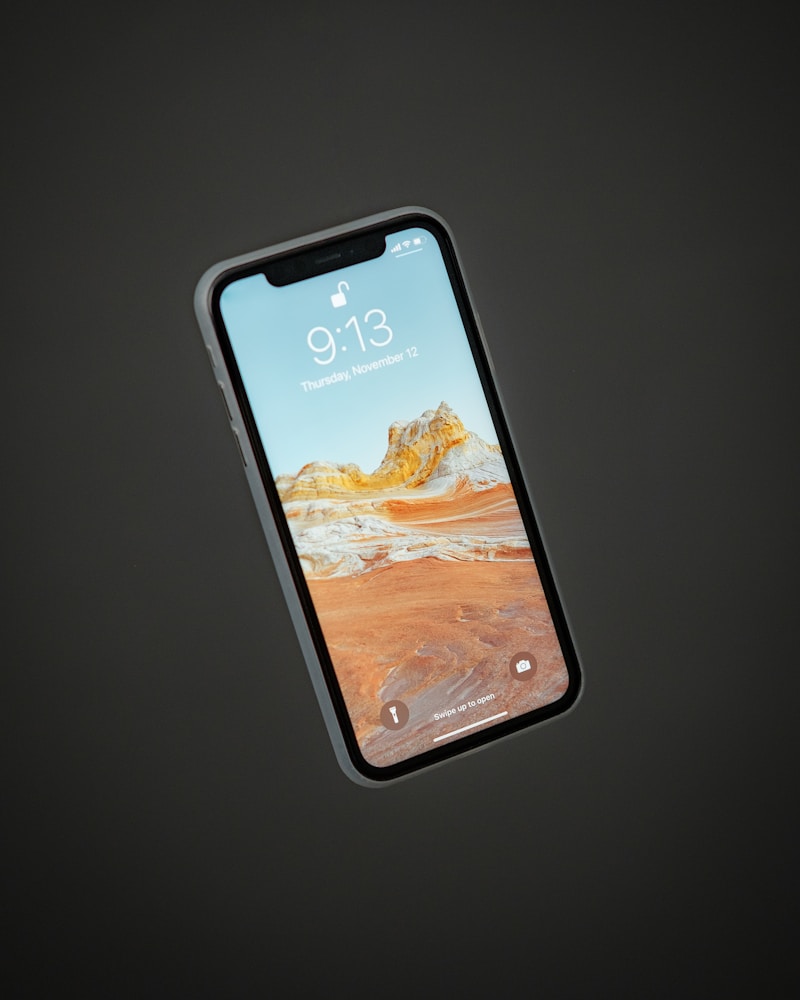
Maintaining optimal smartphone performance requires regular attention to software management and storage optimization. Modern smartphones accumulate temporary files, cached data, and unused applications over time, gradually consuming storage space and system resources. Implementing a regular maintenance schedule helps prevent the gradual slowdown that many users mistake for inevitable aging of their devices.
Storage management is crucial for maintaining responsive performance, as smartphones slow significantly when storage approaches capacity. Regularly review installed applications and remove those no longer needed, paying particular attention to large games and media apps that consume substantial space. Offloading photos and videos to cloud storage or external drives frees local storage while preserving access to important memories and media.
Software updates provide essential performance optimizations and security patches that maintain device integrity over time. Enable automatic updates when possible to ensure timely installation of important fixes, or establish a regular schedule for manual update checks. Background app refresh and automatic download settings can be adjusted to balance convenience against battery life and data usage considerations based on individual preferences and usage patterns.
Camera Review
Camera maintenance is frequently overlooked but essential for preserving image quality throughout device ownership. The camera lens is particularly vulnerable to contamination from fingerprints, dust, and oils that can degrade image quality significantly. A dirty lens produces soft, hazy images that no amount of computational processing can fully correct, making regular cleaning essential for photography enthusiasts.
Lens cleaning requires careful technique to avoid damage to protective coatings and optical elements. Use a soft microfiber cloth designed for optical surfaces, applying gentle pressure in circular motions from the center outward. Avoid using shirt fabrics or other materials that may contain abrasive particles or residues. For stubborn contamination, specialized lens cleaning solutions applied to the cloth rather than directly to the lens can safely remove oils and debris.
Camera module protection is particularly important for devices with protruding lens housings that contact surfaces when laid flat. Cases with raised bezels around the camera array prevent direct contact with surfaces, reducing scratch risk during daily use. When using tripod mounts or other accessories, ensure they attach securely without applying excessive pressure to the camera module, which could damage internal components over time.
Battery Life
Battery health is perhaps the most critical aspect of smartphone maintenance, as battery degradation directly impacts usability and device value. Lithium-ion batteries, while offering excellent energy density, degrade over time through chemical processes that are accelerated by heat, extreme charge levels, and high-current charging. Understanding these factors enables users to adopt practices that maximize battery lifespan and maintain consistent performance over years of ownership.
Temperature management is crucial for battery longevity, as both extreme heat and cold accelerate degradation. Avoid leaving your smartphone in hot cars, direct sunlight, or other environments where temperatures exceed normal operating ranges. During charging, remove thick cases that can trap heat, and avoid using demanding applications that generate additional heat while charging. Cold temperatures temporarily reduce capacity but generally cause less permanent damage than heat exposure.
Charging practices significantly impact battery longevity, with partial charges generally preferable to complete discharge cycles. Many modern smartphones include battery protection features that limit maximum charge to 80% or adjust charging speed based on usage patterns. Enabling these features can significantly extend battery lifespan for users who keep their devices for multiple years. When possible, avoid letting the battery discharge below 20% or remain at 100% for extended periods.
Pros and Cons
Benefits of Regular Maintenance:
- Extended device lifespan saving money on premature replacements
- Maintained performance preventing frustrating slowdowns
- Better resale value when upgrading to newer models
- Reduced risk of unexpected failures and data loss
- Improved camera and display quality through proper care
- Peace of mind knowing your investment is protected
Common Maintenance Mistakes:
- Using abrasive materials for cleaning that scratch surfaces
- Exposing devices to extreme temperatures during use or storage
- Neglecting software updates that provide security patches
- Ignoring early warning signs of battery or hardware issues
Final Verdict
Implementing consistent smartphone maintenance practices requires minimal time investment but yields significant benefits throughout device ownership. The strategies outlined in this guide apply universally across smartphone brands and models, enabling users to protect their investment regardless of their specific device. By adopting these habits early in ownership, users can maintain optimal performance, extend device lifespan, and maximize the value of their smartphone purchase.
The most effective maintenance approach combines daily habits like gentle cleaning and careful handling with periodic deeper maintenance including storage management and battery health optimization. Users who invest in quality protective accessories and establish regular maintenance routines will find their devices remain reliable and responsive throughout ownership. The few minutes spent on maintenance each week represent an excellent investment in protecting the significant financial outlay that modern smartphones require.